or "I just wanted to shorten a link and got a production crash"
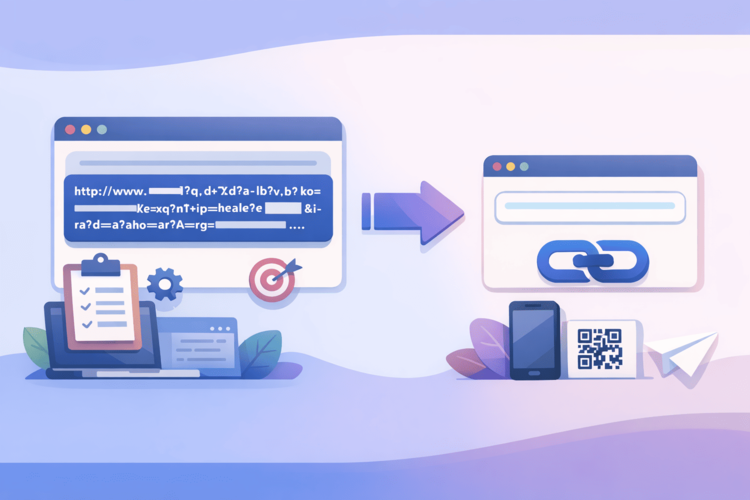
Imagine: you spent three weeks on the perfect landing page, wrote a brilliant post on LinkedIn, inserted a link – and it looks something like this: https://mybestproduct.com/ua/landing/campaign/spring2024/utm_source=linkedin&utm_medium=social&utm_campaign=superlaunch&ref=ceo_personal. Your subscribers see this URL crawler and think one of two things: either it’s phishing, or something is broken with you. They won’t click. You’ve lost a conversion, and with it – a piece of your soul.
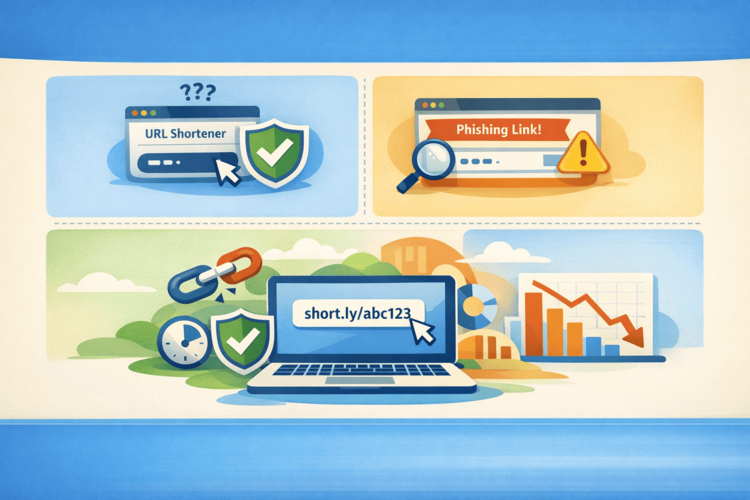
URL shorteners exist precisely to prevent this from happening. But, like any tool, they can be used incorrectly – and then instead of solving the problem, you end up with new, exclusive ones of your own. Let’s take a look at the most popular ways to shoot yourself in the foot with a short URL and, most importantly, how to avoid it.
Mistake #1. “I’ll use a free service and not worry about it”
A classic of the genre. A person googles "url shortener free", clicks on the first link, shortens it, and everything seems to be fine. Until the first quarterly report, when it turns out that 40% of the links from last year's campaign no longer exist, because the service quietly closed or "moved to premium."
Free shorteners are like free cheese. You know exactly where it is. They either die, or start to be monetized through redirects to advertising (and your customers end up not on your site, but on some "win an iPhone"), or they simply disappear without warning.
How to avoid it: Choose a service that exists as a product, not as someone’s pet project on Heroku. For example, Surli is a case where the service was developed as a full-fledged tool for marketers and developers, not “I made it over the weekend, maybe someone will be interested.” Your links live as long as you need them to, not as long as a stranger on the Internet is enthusiastic.
Mistake #2. Shortening everything in a row without any system
Oh, this is my favorite. A person goes to the service, shortens the link, gets something like surl.cc/x7Kp2 – and pastes it into five different places: an email newsletter, Instagram, Telegram channel, an article on Medium and an oral presentation at a conference (yes, that happens too).
A month passes. You want to understand where the audience is more active. And then it turns out that you have one link to all channels, zero analytics, and you simply don't know anything.
It's like running five advertising campaigns with the same phone number without any distribution. "Where did you hear about us?" - "You saw us somewhere." Thank you, very useful.
How to avoid: For each channel – a separate link. Or at least separate UTM tags built into the shortened URL. Normal services allow you to do this right when shortening, so that later in the dashboard you see: “oh, 300 clicks came from Telegram, and 12 from email, you need to do something with the mailing list.”
Mistake #3. Ignoring custom slugs
bit.ly/3xKm9pQ vs surli.cc/launch-2024 – the first looks like a captcha, the second – like a link from a person who knows what he is doing. For some reason, many people do not use custom aliases, although most modern services provide this option. Probably, they do not know. Probably, they are lazy. Probably, they think “it will work out anyway”.
It won't work. Especially if you place the link offline - on flyers, slides, billboards (yes, there are people who shorten URLs for billboards, and it's brilliant). A person on the street will not enter bit.ly/3xKm9pQ - they will never remember it. And surli.cc/znizhka - absolutely.
A custom slug also increases trust. Because when a person sees a readable link, they understand where they are going. This reduces anxiety and increases CTR. Literally free conversion optimization.
How to avoid it: Always specify a custom slug. Even if the link is for internal use only – surli.cc/q4-report is much more convenient than a random set of characters when you search for it in your bookmarks three months later.
Mistake #4. Not checking if the link works after shortening
It sounds obvious, but the number of people who send out emails with broken links is impressive. They shortened it and went straight to production. They didn't protest, they didn't click on it themselves, they just trust it.
And then it turns out that when shortening, they copied the URL with a space at the end. Or the original page went down at that very moment. Or something went wrong when generating the UTM. Or – the classic – they shortened the link to localhost (localhost:3000/my-awesome-page) and sent it to 50,000 people.
How to avoid it: The "click before you post" rule isn't paranoia, it's basic hygiene. Ideally, open the link in incognito mode to make sure the redirect works for a person without your authorization and cookies.
Mistake #5. Not thinking about domain security and reputation
Here's a scenario: you're using a popular shortener that millions of people use. One of those millions shortens a phishing or spam link through it. Mail services and browsers start blocking the entire domain. And your perfectly honest link ends up on the block list along with all the junk.
Hello, your email marketing is now in spam. Your link in Chrome shows “unsafe site”. Your customers don’t understand what’s going on. This is the real problem with massive free shorteners – they don’t control who shortens what through them, and the domain’s reputation can sink at any moment.
How to avoid: First, choose services that moderate usage and prevent the platform from turning into a tool for spammers. Second – and this is generally the best option – use your own custom domain to shorten links. Then the domain reputation is completely yours, and you control it yourself. Surli, by the way, supports custom domains – that is, your links can look like go.yourcompany.com/name, which is a separate level of branding and trust.
Mistake #6. Forgetting about QR codes
URL shorteners and QR codes are a natural pairing, like Junior and Stack Overflow. But for some reason, people often generate the QR code separately, shorten the link separately, and then it turns out that the QR leads to one thing and the text link to another. Or the QR is generated on some random site and leads through three redirects to an unknown destination.
Or even better: a person printed out flyers with a QR code that leads to the unabridged URL. A month later, the URL changed (they moved to a new landing page), there were already 10,000 flyers in the city, and now the QR leads nowhere. And if they had used a shortened URL with the ability to change the destination, they would simply update the redirect in the service, and all the old QR codes would automatically start leading to the new page.
How to avoid it: Generate QR directly from the shortening service - that way they are synchronized. And if you ever need to change the destination, just change it in the link settings without reprinting the entire copy.
Mistake #7. Not looking at analytics at all
“Why do I need analytics, I just want a short link” is about the same as “why do I need monitoring, I just want the server to work.” A URL shortener with analytics is not just convenience, it’s intelligence. You see: how many clicks, from which countries, from which devices (mobile vs. desktop – critical for UX solutions), at what time the audience is most active, through which referrers people come.
All this data is sitting there for free in your dashboard, waiting for you to look at it. And most people don't look. They just cut back and forget.
How to avoid it: Make link reviews part of your regular routine – at least once a week, check in to see what’s going on. Where traffic is growing, where it’s falling, what worked in the last campaign. It takes 10 minutes and provides far more insight than most two-hour marketing meetings.
Bonus mistake: choosing a service based on the “first in search” principle
The meta-error that gives rise to all the previous ones. The market for shorteners is large, but there are few quality products among them. Most of them are either too simple (just a redirect, nothing more), or too expensive enterprise monsters with an interface from 2009.
If you are looking for something between “just a reducer” and “corporate platform for $500/month” – take a look at Surli . Custom domains, detailed analytics, QR codes, branded links, a convenient interface without the feeling that you have opened a site for submitting reports to the State Tax Service. Exactly for those who want a normal tool, not a headache.
Summary: A brief checklist for a healthy shrink
Before you launch your next link campaign, go through this list:
Is your shortening service live and reliable?
Do you have separate links for each channel?
Do you use custom slugs instead of random characters?
Did you check the link before posting?
Do you know the reputation of your service's domain?
Are your QR codes synced with short links?
Do you look at analytics even occasionally?
If the answer to all the questions is “yes”, you’re good, you can go get some coffee. If there’s even one “no” – well, now you know what to fix. A URL shortener is not about being lazy. It’s about controlling how your links live in the world. And they live a long time, some even years. It’s worth doing it right the first time.