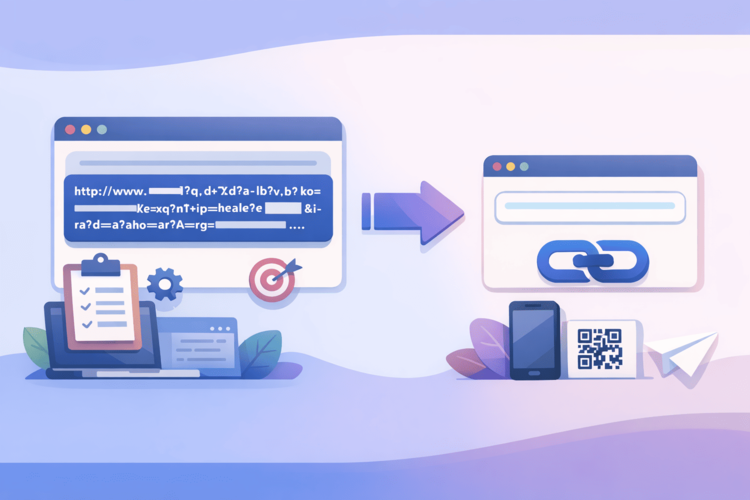
There are things that Google does brilliantly. Search is brilliant. Gmail is convenient. Google Maps is a whole other reason to love it. But the URL for Google Forms is like someone at Google made a bet that they could create the longest, most unreadable link in the web industry. And they won.
Here is a typical Google Form URL: https://docs.google.com/forms/d/e/1FAIpQLSf7xKm9pQ2vR8nTdWbYcHjMoIuEsAlPrNqXwVgZtBeFkCdOh/viewform?usp=sf_link . It’s 100+ characters of absolute chaos. No sense, no readability, no chance of remembering or dictating over the phone. And yet Google Forms is one of the most popular tools for data collection, registrations, feedback, and anything related to “fill in, please.”
Shortening this link is not a whim of a perfectionist, but a practical necessity. Let's look at why, how, and why it's best to do it.
Why is the Google Form URL so terrible and can it be fixed at Google's level?
Let's start with the unpleasant truth: no, there's no way to fix this at Google's level. The company didn't provide the ability to set custom URLs for forms. That long string of characters is a unique identifier for the form in their system, and it's generated automatically without any logic for human perception.
There’s a “Get Short Link” option right in the Google Forms interface – a button with a chain icon. It actually shortens the URL to something like forms.gle/AbCdEf123. It’s better, but still not perfect: the forms.gle domain doesn’t say anything about your organization, the slug is random, there’s no analytics, there’s no customization.
That is, Google gives you the minimum. If you need more, you need an external tool.
Where and when does it really hurt?
Before we move on to solutions, let's talk about when a long Google Form URL is a real problem, not just an aesthetic inconvenience:
Email campaigns. You ask people to fill out a feedback form or register for an event. A long URL looks unprofessional even if it’s clickable. And if the email is opened in a client that breaks long links into multiple lines, the link stops working altogether.
SMS and messengers. In SMS, every character is worth its weight in gold. In Telegram or Viber, a long URL without a preview looks like spam. A short, readable link immediately increases the level of trust and clickability.
Printed materials and QR codes. A flyer asking you to fill out a questionnaire, an event program with a registration link, a badge with a networking form – these are all physical media where the URL is either entered manually or encoded in a QR. A long URL in a QR creates a pixel monster that is difficult to scan. A short link is a compact QR that is read the first time.
Verbal communications. "Fill out the form at the link..." – and then you try to dictate 80 characters of abracadabra. Or you say surli.cc/anketa – and everyone understands everything.
Corporate communications. If you're submitting a form on behalf of a company, a link like go.companyname.com/feedback looks like a well-thought-out system, not like "I googled how to make a form and dropped the first thing that came up."
How to shorten a Google Form link: step by step
There is no magic here, the process takes two minutes:
Step 1: Get the URL of your form. Open Google Form in edit mode. Click the “Submit” button (or “Send” if the interface is in English). In the window that opens, there is a tab with a link icon - there will be the URL of your form. You can also simply copy the link from the address bar when the form is open in preview mode.
Step 2: Go to a shortening service. Open Surli – it takes a second, registration is not required for basic use, but with an account you will get analytics and the ability to edit links later.
Step 3: Paste the URL and set a custom slug. This is the most important step that most people skip. Don’t settle for a random set of characters – set a readable alias. anketa-2026, reestratsia-event, feedback-form, join-team – something that is self-explanatory. A good slug turns a link from a technical artifact into a communication tool.
Step 4: Copy and use. Done. Now you have a short link that you can paste into any channel, generate a QR from it, dictate out loud and not be embarrassed.
Custom slug – why it’s important, not just pretty
Let's dwell on this in more detail, because underestimating custom slugs is one of the most common mistakes when working with shortened links.
A random slug like surl.li/xK9p2 is just a technical replacement for a long URL. It's shorter, but still unreadable. The person who sees it doesn't understand what to expect after the transition.
A custom slug like surl.li/job-apply is already a message. Even without clicking, a person understands the context. This reduces anxiety, increases trust, and, as a result, increases conversion.
There is also a purely practical argument: a custom slug is easier to find in your own control panel after three months. If you have dozens of shortened links, you will find feedback-q1-2026 in a second, and xK9p2 - only if you remember when it was created.
Analytics: an unexpected bonus for those who collect answers
Google Forms shows how many people filled out the form. But it doesn't show how many people clicked on the link and didn't fill it out. This is a blind spot that prevents you from understanding real conversion.
A shortened URL via Surli closes this gap. You see the number of clicks – that is, how many people opened the form. Google Forms shows how many were filled out. The difference between these numbers is the number of people who opened and closed. And if this difference is large, then there is something wrong with the form itself: it is too long, unclear, or asks for too much data.
In addition, click analytics shows: from which devices people are clicking (mobile vs desktop – important for assessing the usability of the form on a phone), from which countries, at what time of day the activity is the highest. If you distribute the form through several channels – make a separate short link for each channel and compare where the audience is more active.
This is all free information just sitting there waiting for you to look at it.
Typical scenarios and how to name a slug
To avoid guessing, here are practical examples of how you can name Google Form links for different tasks:
Event registration form – reestratsia, event-join, signup-[event name].
Feedback form – feedback, vidguk, survey-[quarter/year].
Job application form – job-apply, vacancy-[position name], careers.
Order or application form – zamovlennya, zayavka, order-form. Form for collecting ideas or suggestions – ideas, propozyciyi, suggest.
NPS or rating form – nps, rate-us, otsinka.
The main rule: the slug should be understandable to a person without context. If you are showing the link for the first time, the person should understand what to expect.
What to do if the form has changed or needs to be replaced
This is another point where a shortened URL saves you a headache. Imagine that you launched an event registration, sent out a link, set up a QR on flyers. And then decided to change the form – add a field, remove a question, or even redesign the form from scratch (new URL from Google). Without a shortened link, you would have to resend the new URL to everyone who received the old one. Flyers – reprint.
With a shortened link through Surli – you simply go to the panel and change the destination. The old short link now leads to the new form. All newsletters, all QRs, all flyers continue to work without any changes.
This is especially valuable for forms that are used regularly. For example, a monthly team satisfaction survey – a new Google Form each time, but the same short link that everyone already knows.
Summary: Two minutes that change your experience
Shortening a Google Form link isn't about a technical trick. It's about how your communication looks to the people you send the form to.
A long, unreadable URL signals, “I just threw away what I have.” A short, readable link like surli.cc/your-form signals, “I thought about the convenience of the person I’m sending this to.”
Two minutes to create a short link via Surli , a custom slug instead of random characters – and the form you submit looks and works completely different. Plus analytics, plus flexibility when making changes, plus convenient QR codes if needed. Google has made a great tool for forms. The URL to it – not so much. But it’s solved in two minutes.