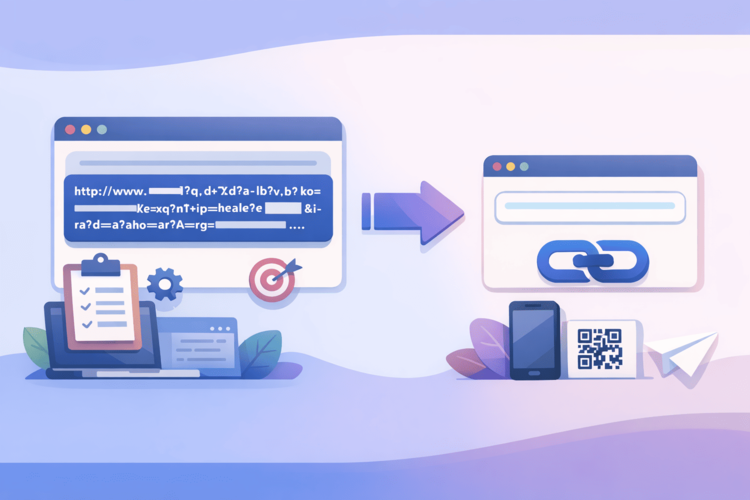
There are long links. There are very long links. And there are URLs with parameters – and this is a separate art form that does not fit into any reasonable framework.
If you’ve ever copied a link from Google search results, Facebook Ads, analytics, or any enterprise service, you know what I’m talking about. It’s not just the page address. It’s the page address plus the session ID, plus UTM tags, plus filter parameters, plus an authorization token, plus twenty more fields you probably don’t even know what they’re for.
It looks something like this:
https://shop.example.com/catalog/category/subcategory/products?utm_source=google&utm_medium=cpc&utm_campaign=spring_sale_2026&utm_content=banner_v2&utm_term=buy+cheap+online&gclid=EAIaIQobChMI_abc123&fbclid=IwAR2xyz789&sessionid=a1b2c3d4e5f6&ref=homepage_banner&filter_color=red,blue,green&filter_size=S,M,L,XL&filter_price=100-5000&sort=popularity&page=1&per_page=48&affiliate_id=partner_007&source_campaign=retargeting_q1 . And this is just a modest example. In real life, such URLs are much longer - especially if the system automatically adds tracking parameters, or if we are talking about complex filters in e-commerce, or links from BI systems to a specific data slice.
What to do about this - let's figure it out now.
Where do monster URLs come from and why are they becoming more common?
To shorten correctly, you need to understand the nature of the problem. Long URLs with parameters are not someone's mistake or laziness on the part of developers. They are a consequence of how modern web infrastructure is designed.
UTM tags are a standard in Google Analytics. To understand where a user came from, marketers add the parameters utm_source, utm_medium, utm_campaign, and a few more to the URL. Each parameter adds 20-50 characters. If there are many campaigns and they are detailed, the UTM tail can be longer than the URL itself.
Advertising system parameters – Google Ads automatically adds gclid, Facebook adds fbclid, other systems have their own identifiers. These parameters are required for conversion attribution and analytics do not work without them.
Filters and page state – in e-commerce, a link can encode the entire state of filters: selected categories, price range, sizes, colors, sorting, page number. It is impossible to share a specific search result without these parameters – without them, the page will show something different.
Tokens and session IDs – some systems add authorization parameters or session IDs to the URL. This is a separate topic from a security perspective, but from a length perspective it is another contribution to the overall chaos.
Links from BI and analytics systems – if you’ve ever shared a link to a specific dashboard in Tableau, Looker, or Power BI – you know that the URL there can encode absolutely the entire state of the interface: active filters, selected time range, open tabs, scroll position. Such links easily exceed the 500-character mark.
The modern web generates long URLs not because someone decided to, but because URLs are used as the only way to pass complex state between systems and sessions.
Why a long URL is not just an aesthetic problem
“So what, it’s long – it still clicks” is a typical response from someone who hasn’t yet encountered real consequences:
Truncation in messengers and email clients. Many systems have a limit on the length of a line or link. Email clients can truncate a URL in the middle of a parameter, and the link simply stops working. Telegram, SMS, some corporate chats - all have their limits. A link of 300+ characters in SMS is a guaranteed disaster: it will either not be sent, or will be sent broken into several parts and will not be clickable.
Problems with copying. A person wants to copy a link manually – and cannot properly select the entire line because it does not fit in the field. Or copies partially, not noticing that they cut off the end. Or they abandon the idea of sharing altogether.
Visibility in documents and presentations. A 200+ character URL in Google Docs or PowerPoint looks like a technical garbage dump. In presentations, it doesn't fit on a line at all and breaks the layout. You have to either hide it behind link text or suffer.
SEO and technical limitations. Search engines technically support long URLs, but there are practical limitations. Some servers, proxies, and CDNs have limits on the length of request headers, and very long URLs can cause 414 (URI Too Long) errors. This is rare, but it does happen.
Security and information leakage. If the URL contains session tokens or identifiers, by sharing such a link, you are potentially giving someone else access to your session. Shortening through a trusted service hides the original URL and minimizes this risk.
What can be reduced and what can't?
An important point that is often ignored in a hurry:
You can and should shorten: UTM-tagged links for marketing campaigns – shortening does not break UTM, because the redirect occurs before Google Analytics reads the parameters. Links with e-commerce filters for newsletters and social networks. Links to reports and dashboards for internal use. Any links for offline distribution – flyers, business cards, QR.
Shorten with caution: Links with authorization tokens or one-time keys. Make sure that the end service correctly handles the redirect and the token is not "lost" in the process. Links with payment system parameters - it is better to test here before mass use.
It is better not to abbreviate: Links in technical documentation, where it is important for the developer to see the full URL structure. API endpoints in code. Links within the system, where the URL is part of the logic, not a means of communication.
How to shorten a long link via Surli: practice
Technically, everything is simple, but there are a few nuances that are worth knowing:
Step 1: Copy the full URL with all parameters. Don’t trim anything – even if the tail seems unnecessary. If UTM tags are needed for analytics, they should be in the original URL. The shortened URL will redirect to the full address with all parameters, and analytics will work correctly.
Step 2: Paste the URL into Surli. Go to surli.cc , paste it into the shortening field. The service accepts URLs up to 12,000 characters. If your URL is shorter than that, and it almost certainly is, it will work without any problems.
Step 3: Set a custom slug. Even for technical or one-time links – a slug helps you find the link in the dashboard later and understand what it does. sale-email-march, dashboard-q1, campaign-banner-v2 – anything is better than a random set of characters.
Step 4: Save and test. Be sure to follow the shortened link and check that the final page opens correctly with all the settings. Especially if the link contains filters or status - make sure that the page shows exactly what is expected.
Step 5: Monitor analytics. One of the most valuable scenarios for shortening long URLs is campaign links with UTM. You see clicks through Surli and conversions through Google Analytics. Together, this gives you a complete picture: how many people clicked and how many of them took the target action.
Lifehack for marketers: abbreviations as a layer over UTM
This is a conceptual moment that opens up a new level of working with links. The standard scheme, where you create a UTM-tagged URL for each campaign and directly insert it into advertising, mailings, publications. There is analytics, but the links are ugly and unmanageable after publication.
A shortening scheme where you create a UTM-tagged URL, shorten it through Surli with a human-readable slug, and use the short URL everywhere. You get both Surli analytics (clicks, devices, geography) and Google Analytics analytics (conversions, site behavior).
But the main thing is that you get the opportunity to change the destination after publishing. You launched a campaign, then realized that the landing page needs to be replaced - just update the destination in Surli. All already published links start leading to a new page. Without restarting the campaign, changing ads and new mailings. This is especially valuable in email marketing, where it is impossible to resend the letter.
Special case: links from BI systems and reports
It's worth talking separately about links to analytical dashboards and reports - because here the length of the URL reaches truly cosmic proportions.
Tableau, Looker, Power BI, Metabase – they all store the interface state in the URL. The specific filter, the time range, the selected data slice – all this is encoded in the parameters. Sharing a specific slice with a colleague means sharing the URL by 500-1000+ characters.
Shortening via Surli solves this elegantly: you shorten the link to a specific report status, give it a slug like dashboard-sales-march, and send a clean, understandable URL to your colleague. The colleague clicks through and sees exactly what you wanted to show.
If the dashboard state has changed and you need to share a new slice, update the destination. The old link name remains, the destination is updated.
Bottom line: URL length is a solvable problem
Long URLs with parameters are an inevitable consequence of the modern web stack. It is impossible to give up UTM tags, filters, and tracking parameters - they are necessary for analytics and systems to work.
But sharing these monsters directly is not necessary. Shortening via Surli takes a minute, gives a readable URL, saves all the parameters for the final server, adds its own analytics, and leaves the option to change the destination at any time.
Have a link that now looks like a database string? Now is a good time to shorten it.