The Internet has long lost its naivety. Once upon a time, we really followed any links without any second thoughts, because "who would put something in there?" Today, everything is different. One click and you are no longer reading an article, but trying to restore access to mail, social networks or explain to the bank that the payment was not yours. And this is not a scenario for the paranoid, but an everyday occurrence that ordinary users regularly encounter.
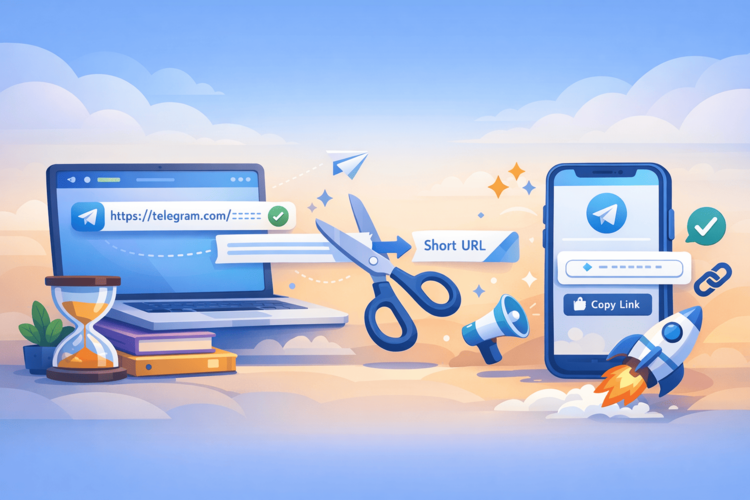
People take the biggest risks where it's convenient. Short links like `bit.ly/something` or `t.co/abc` fit perfectly into newsletters, instant messengers, and social networks. They are neat, don't break the design, and don't arouse suspicion at first glance. But there's a caveat: anything can be hidden behind such a link — from a regular landing page to a phishing copy of a bank or a page with malicious code.
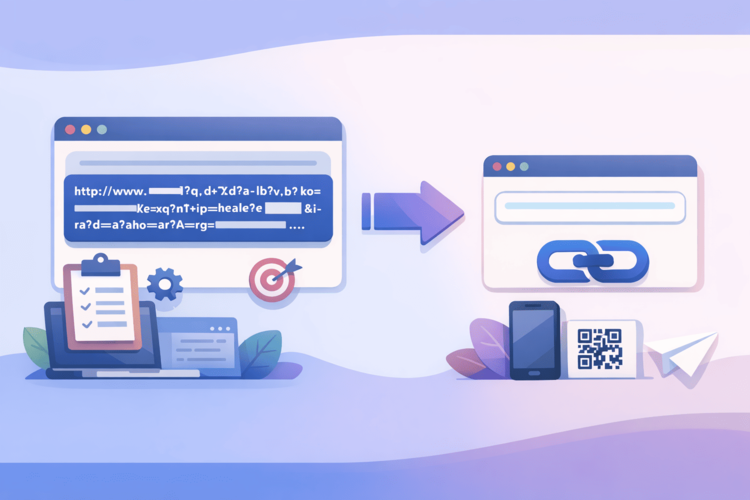
It is important to understand one thing. A short link in itself is not a problem. It is just a redirect, a technical tool. The problem is that it completely hides the final address. You cannot see the domain, you cannot evaluate it "by eye" and you actually click at random. That is why checking links today is not reinsurance, but basic digital hygiene. It is as habitual an action as washing your hands after transport or closing your laptop when leaving a cafe.
And without horror stories. You shouldn't think that every link is a trap. But you should accept reality and admit that in the modern Internet, trust without verification is expensive. So let's continue calmly and to the point, without marketing clichés, how exactly not to step on these rakes.
Why check links at all?
When you see a regular URL, your brain still has a chance to suspect something. The domain is strange, the characters are unnecessary, the appearance is suspicious. A short link doesn't give you that chance. It looks neutral, neat, and doesn't tell you anything about where you're going next.
For the user, this means one simple thing: you are clicking blindly. This is especially dangerous in the following scenarios:
letters “from the bank” or “support service”;
messages in messengers with the text “look, is that you?”;
promotions, discounts, “15 minutes left”;
links from familiar accounts that may have already been hacked.
Link checking is not about paranoia, it's about control.
Typical risks hidden behind links
When people talk about dangers on the Internet, something obvious comes to mind: a strange site, a bunch of errors, aggressive banners. But the reality has long been different. Modern threats almost always look “normal”. Neat design, familiar logos, clear text and a link that does not stand out from a thousand others.
That's why most problems start not with viruses, but with a click. To understand what exactly can go wrong, it's worth knowing the main scenarios that are most often hidden behind seemingly ordinary links.
Below are no exaggerations or horror stories, just the most common risks that users face every day.
Phishing
This is the oldest and still the most effective trick. You click on the link and see a page that looks very familiar. The same bank logo, the same font, even the "Login" button in the usual place. The only difference is that it's not a bank.
The scenario is always the same. You enter your username and password, the page may even “hang” or show an error. And then this data flies to the attacker’s server. A few minutes later, someone logs into your account, changes your password, and starts acting on your behalf.
The worst thing is that such pages do not last long. Today, phishing is active, tomorrow the domain is blocked or deleted. Therefore, the advice “I’ll just Google it” often does not work. You may not find any information and decide that everything is safe. And this is exactly the moment that scammers are counting on.
Redirect chains
This risk is less obvious, but no less common. The link you click on very rarely leads directly to the final page. It often passes through several intermediary sites or services.
Why make it so complicated?
to bypass browser and antivirus filters;
to hide the real domain until the last moment;
to change the end page at any time.
To the user, it looks like a normal transition. Nothing flashes, nothing warns. But the browser and security systems see that something suspicious is happening. That's why sometimes the page opens "strangely", with a delay or with unexpected redirects.
Malicious files
Not all attacks look like websites. Some links lead directly to a file download. Often it's a PDF, ZIP, or "document" that supposedly contains an invoice, contract, or important information.
You open the file and nothing special happens. That's what's dangerous. Inside it could be:
a data-collecting Trojan;
a stealer that steals passwords from the browser;
a miner that quietly loads the system.
And yes, it still works. Not because of “stupid users,” but because files are masked very well. Especially during mass mailings when people are waiting for invoices, deliveries, or order confirmations.
Tracking and data collection
Not every risk ends in a hack. Some links are designed to silently collect information. You click, and the service records your IP, region, device, browser, and time of transfer.
At first glance, it doesn't seem like a big deal. But this data can be used further:
for more accurate phishing attacks;
for selecting the “right” deception scenario;
or simply for sale to third parties.
Such links often seem completely safe. They don't hack accounts or install viruses. But they create a digital profile that can then be used against you.
The key point is simple. Not every link is dangerous, but any link can be. That's why checking before clicking is not an over-caution, but a normal behavior in today's Internet.
How to check links correctly?
Most security problems have a common root cause: haste. That’s why proper link checking starts with behavior, not tools.
Step 1. Don't click right away
This sounds too simple to be important, but in practice it works best. Most dangerous links are designed to trigger automatic reactions: curiosity, fear, urgency.
“Look,” “your account is locked,” “5 minutes left” — these are all triggers that turn off logic.
A pause of even 10-15 seconds changes the scenario. During this time, you have time to reread the message, see who sent it, and ask yourself a simple question: was I even waiting for this link?
If the answer is “no,” verification is required.
Step 2. Look where the short URL leads
Short links are specifically designed to hide the final address. But often the service still allows you to peek behind the scenes. Depending on the platform, you can:
add a “+” symbol at the end of the link;
open the preview page;
see basic statistics or a description of the redirect.
This allows you to find out at least the minimum: what domain you will end up on, whether there are multiple redirects, whether the address looks adequate. Yes, this is not a guarantee of security. But it is the first filter that cuts off obvious trash.
If the service doesn't show anything at all, that's a reason to be wary.
Step 3. Check the link through a special service
And this is where the real verification comes in. Instead of guessing and "it seems normal to me," you use tools that analyze the link at the domain, reputation, and history levels.
Such services:
links are checked through dozens of antivirus databases;
analyze redirects;
show whether the domain has been seen in phishing or malware distribution.
It takes a few seconds, but it removes most of the risk. And it’s this step that separates “I hope everything is okay” from a conscious click.
Next, we'll talk about tools that are actually worth using, not keeping in your bookmarks "for later."
The best link checking tool
When it comes to link checking, it's not the number of "scary icons" that matters, but the clarity of the result. The user needs to quickly answer a simple question: to click or not to click. This is where most classic tools start to overload with details.
Surli is a tool that looks at links the way a normal person would, not a SOC analyst. It doesn't try to scare you, but rather explains what's behind the link.
What Surli does:
shows the real final address, even if the link goes through several redirects;
highlights potentially dangerous domains and suspicious scenarios;
provides a clear explanation of risks without technical noise;
allows you to check short URLs, QR codes, and regular links in one place.
The main advantage of Surli is the speed of decision-making. You don't read 20 lines of statuses, but immediately see if there is a risk and why.
How to use:
Copy the link or scan the QR code.
Insert into Surli.
Look at the final address and a brief conclusion of the service.
If Surli shows a suspicious domain, strange redirects, or brand mismatch, that's enough to not proceed any further.
Useful habits for daily surfing
Tools are important, but most problems are solved before you even check anything. It's your habits that determine how safe your surfing will be.
Don't follow links that appeal to emotions or create a sense of urgency.
Never enter passwords after switching from emails or instant messengers - it's better to go to the site manually.
Verify the domain even if the page looks "real".
Use a password manager - it often refuses to replace data on fake sites.
Trust your intuition: if something looks strange, just close the tab.
In today’s internet, security isn’t a single magic service, but a combination of tools and a healthy dose of skepticism. And that combination works much better than hoping “it doesn’t concern me.”
Conclusion
Short links are a tool. Useful, convenient, necessary. But in the hands of attackers, they work just as well as in the hands of marketers.
Checking links isn't about fear. It's about control and respect for your own data. One minute of checking often saves hours of account recovery, bank correspondence, and unpleasant surprises.