So, you've been hacked. Or maybe you haven't been hacked yet, but your password is your cat's name and your year of birth. Or maybe you have the same password for your email, mobile banking, and work account, because it's also much easier to remember. Sound familiar?
In 2026, the average user has over a hundred accounts and uses three to five different passwords. And he sincerely believes that nothing bad will happen to him, until one morning he opens his email and sees an email about a suspicious login from Jakarta.
A password is not a technical detail that you set once and forget, but the first and often only line of defense between your data and someone who doesn't own it. And the strength of this barrier is directly affected by how the password was created - manually or correctly.
Why secure passwords are critical right now
Password attacks have not become less frequent, but they have increased significantly in speed. Modern brute force software goes through billions of combinations per second. An eight-character password that took hours to crack in 2015 can now be cracked in seconds. A twelve-character password without special characters can be cracked in minutes.
At the same time, database leaks have become the norm, not an extraordinary event. Every year, billions of accounts — logins, passwords, and associated addresses — are leaked online. If you use the same password on multiple services, cracking one automatically gives you access to the rest. This is called credential stuffing, and it's one of the most common hacking methods today.
Add to this phishing, social engineering, and leaks through third parties — services you once entrusted your data to and long ago forgot about. Protecting yourself from all of this at the same time is difficult. But having a unique, complex password on each account is a minimum program that significantly narrows the window for attack.
What is a password generator and how does it work?
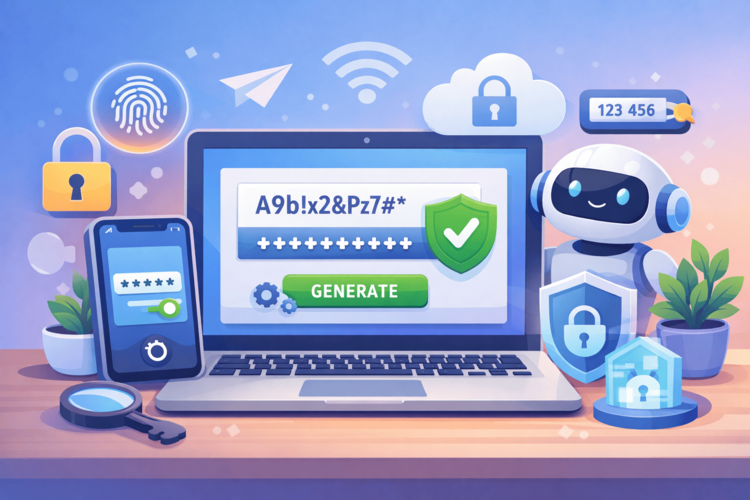
A password generator is a tool that creates a random combination of characters based on given parameters. You specify the length, a set of characters with uppercase and lowercase letters, numbers, special characters, and you get a strong password. Why strong? Because it was not invented by a person on his own, which means it is devoid of logic, associations, and patterns.
This is the main advantage. When a person comes up with a password manually, he inevitably relies on something familiar - a date, a word, a name, a keyboard pattern. All this is predictable, and hacking algorithms take into account human psychology and go through the obvious combinations first. The generator completely eliminates this predictability.
A quality generator works locally, meaning the password is created in the browser and is not transmitted anywhere. This is important because if the generation takes place on the server, theoretically there is a moment when your password is stored somewhere or passed through someone else's infrastructure. Local generation eliminates this risk.
How we chose the best password generators
Before we get to the list, a few words about the methodology. The tools were evaluated based on four criteria:
Security level. Where does the generation take place, locally or on the server. What randomness algorithm is used. Is it possible to create a really long and complex password, not just eight characters for a check mark.
Customization. Can you set the length, choose a character set, exclude ambiguous characters like zero and the letter O. Is there a mode for passwords that sometimes need to be entered manually — without characters that are easy to confuse?
The place where the password is generated. Locally in the browser or on the company's server. For a regular snippet check, this is not important. For a password, this is essential.
UX and speed. Is registration required? Can you get results right away? Is there a clear indication of password strength? A tool that is inconvenient to use will simply not be used, and this is also part of security.
TOP 5 password generators in 2026
1. Password Generator from HyperHost
HyperHost is a Ukrainian hosting company that simultaneously develops a set of free tools for webmasters and ordinary users. Their password generator is one of the most convenient on the list. And this is because it is simple and made with an understanding of what a person really needs. The interface is arranged like this: open it, set the parameters, get a password. No registration, no accounts, no emails. Just a tool that does one thing and does it well.
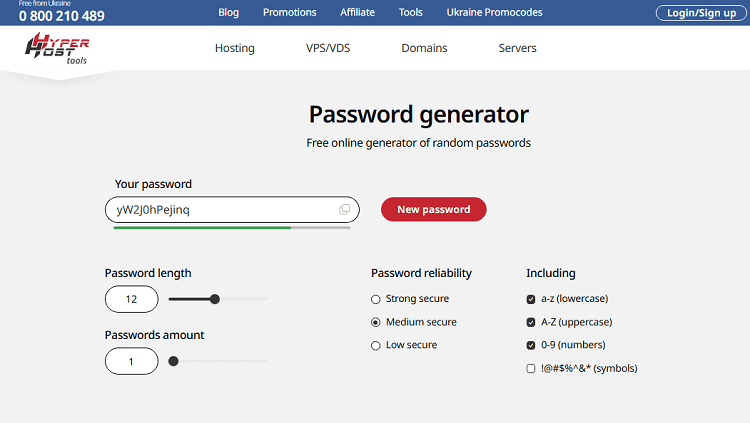
What sets it apart from its peers is local generation. The password is created directly in the browser and is not transmitted anywhere. For a tool of this type, this is not a detail, but a basic security requirement, and HyperHost fulfills it.
Customization covers everything you need: length from a few characters to really long combinations, choice between uppercase and lowercase letters, numbers, special characters. There is an option to exclude ambiguous characters. This is very useful if you ever have to enter the password manually and don't want to confuse zero with the letter O or one with a lowercase L.
The security indicator shows in real time how complex the current password is. Moreover, it does not just highlight it in green or red, but gives it a clear assessment. For a person who is not immersed in the topic of information security, this is important: it is immediately clear whether it is worth adding a few more characters or enabling special characters.
The tool is up-to-date, updated, and meets modern standards for password length and complexity (rather than the 2012 recommendations that still haunt outdated websites). It's a good fit for everyone, from a website owner who needs a password for a database to someone who just wants to finally put a proper password on their email account.
2. LastPass Password Generator
LastPass is one of the oldest password managers on the market, and their online generator is available for free without registration. The interface is familiar to millions of people who have encountered the topic of password managers at least once.
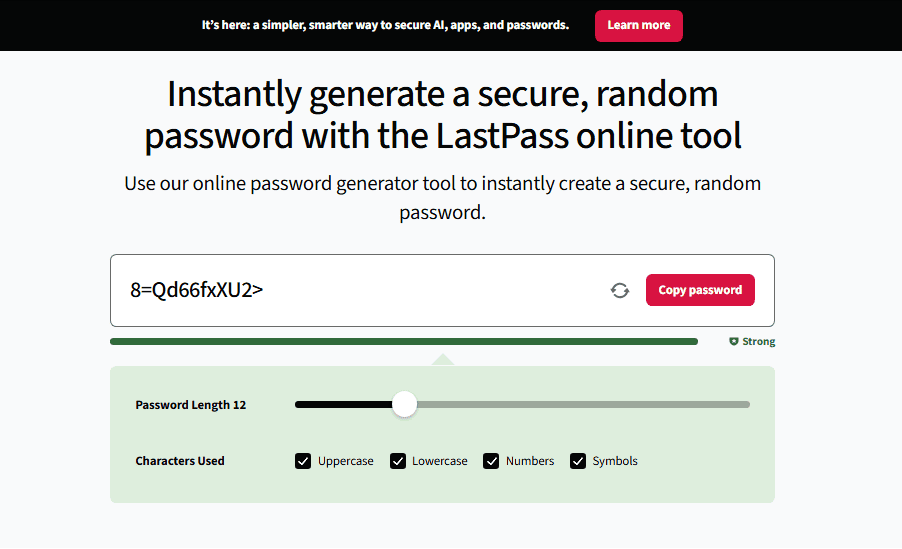
The generator supports a standard set of settings: length, character set, and a mode for easy-to-pronounce passwords. Perfect when you need something that can be dictated over the phone without spelling out the words. There is also a mode for passwords without ambiguous characters.
But there is a caveat to be aware of. LastPass experienced a major data breach in 2022, and it affected the company’s reputation. For generating passwords through a browser without storing them in their system, the risk is minimal. But if you consider LastPass as a password manager in its entirety, it is worth considering this context and making an informed decision.
LastPass works great as a standalone generation tool. It's convenient, fast, and has no unnecessary steps. It's the most logical choice for those who already use the service as a manager and want everything in one place.
3. NordPass Generator
NordPass is a product of Nord Security, the same company behind NordVPN. Their password generator is available online for free and follows the brand's overall philosophy: a minimalist interface, clear visualization, and no overload of settings.
.png)
Generation is done locally, the settings are standard — length, character type, exclusion of ambiguous characters. There is a separate mode for passphrases with a sequence of random words instead of a meaningless string of characters. Passphrases are longer, easier to remember, and at the same time they are cryptographically more secure than a short password with special characters.
The interface is translated into many languages and is well-adapted for mobile devices. If you generate passwords from your smartphone, NordPass is one of the more convenient options for this.
NordPass is a full-featured password manager, but it doesn’t require registration for one-time generation. It’s a good choice for those who value a clean interface and want to try out passphrase mode.
4. Dashlane Password Generator
Dashlane is another big player in the password manager market, and their free generator is available as a standalone tool without the need to register with the service.
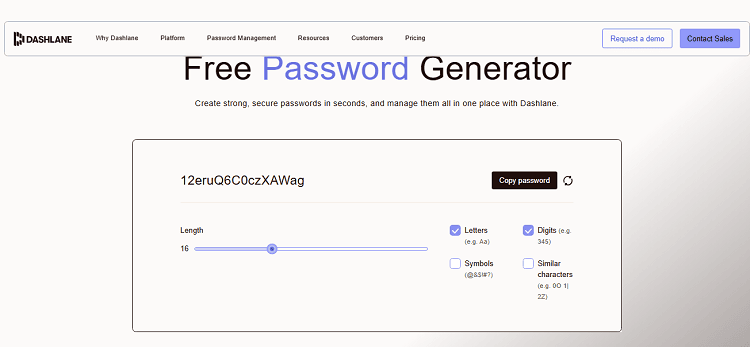
What sets Dashlane apart is its advanced security rating scale. The tool doesn’t just show you a “weak-strong” rating, but explains why your current combination received that rating and what to change to improve security. For someone who understands the subject, this may seem redundant. For those who are just starting to think seriously about passwords, it’s a useful education in the process.
Full customization: length up to 40 characters, choice of character groups, mode without ambiguous characters. The interface is in English, but intuitive. You will 100% understand it in a minute even without a translator.
Dashlane generates passwords locally, which solves the main security issue. It's a good choice for those who want to understand why a password is strong, rather than just getting it.
5. Bitwarden Password Generator
Bitwarden is the only fully open-source password manager on this list. Its source code is publicly available, and security audits are conducted regularly and published. For those who value not just a security claim but the ability to verify it, this will be a fundamental difference.
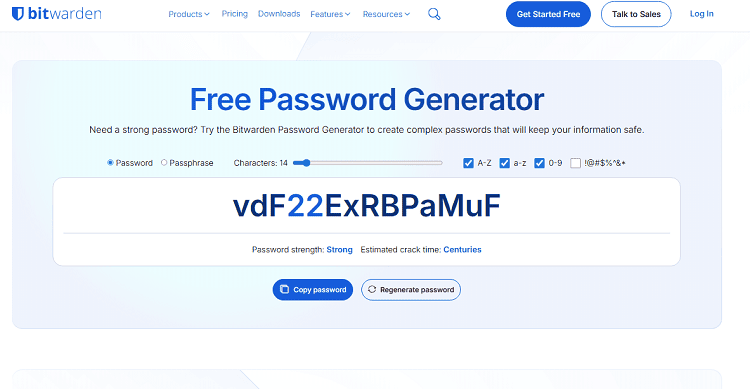
The password generator is available for free online and is part of the Bitwarden open ecosystem. It supports two modes: a classic password with characters and a multi-word passphrase. In passphrase mode, you can specify the number of words, the separator between words, and the case — details that matter if the password needs to be remembered or dictated.
Generation occurs locally. The full Bitwarden manager is free for personal use. And not in a limited mode, but fully. The paid version adds features for teams and businesses, but for an individual user the free level is more than enough.
The most logical choice for developers, technical specialists, and anyone who fundamentally chooses open source software and wants to be able to verify what they trust.
Who to elect in 2026?
There is no universal answer, because the tasks are different. If you need a simple and reliable tool without registration and unnecessary steps, then the generator from HyperHost covers most of the tasks. Local generation, reliability counter, convenient customization, up-to-date approach to security standards. Opened, configured, received a password, closed.
If the ecosystem is important and you want one manager for everything, Bitwarden gives you the most for free and does it transparently. Open source means that any expert can check what's going on inside.
If you need a solution for a team or business, NordPass and Dashlane offer mature enterprise products with centralized management, group password policies, and access auditing. For businesses where security is more important than a single-user interface, they are a definite must.
If you are a developer and want a generator that can be integrated or deployed locally, Bitwarden wins again because it has a CLI, API, and the ability to self-host deployment on your own server.
A password is a decision you make every time you sign up for a new service, update your credentials, or give your credentials to a colleague. And every time, there’s a choice: do it right or do it fast. A password generator lets you avoid sacrificing one for the other.