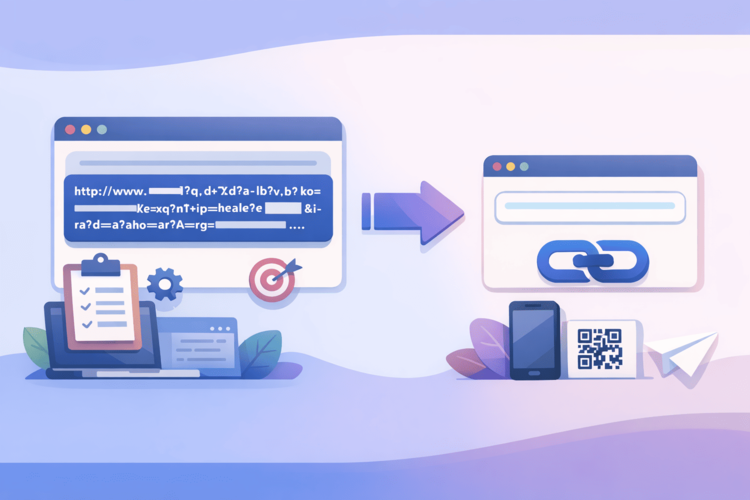
QR codes have gone through a strange evolution. At first, they tried to shove them everywhere – on billboards, packaging, tickets, bus stops. Then came a dark period: everyone remembered that a separate app was needed to scan them, and QR almost disappeared from the public space. And then Covid came, restaurants got rid of paper menus, and suddenly QR codes became absolutely normal – because now the scanner is built into the camera of every phone.
Now, in 2026, a QR code on printed material is not “oh, interesting, a trendy thing”, but a basic expectation. People scan without thinking. And that is why the cost of error has increased: if a QR leads to the wrong place or nowhere, it is no longer “well, okay, it didn’t work”, it is “why is this company putting a broken code on its product?”.
But there is a nuance that many people don't think about when generating a QR: between your code and the final page there is a URL. And what it is - direct or abbreviated, where it is needed and how it is managed - literally everything depends on it. Let's figure it out.
Why can't you just paste a long URL into a QR code?
Technically, you can. A QR code is simply a way to encode a string of characters into a visual pattern. The longer the string, the more complex the pattern, the more small squares. And that's where the problems begin.
First, a thick QR is harder to scan. Especially if it's printed on a matte surface, in poor lighting, or if the phone is a bit cheaper than a flagship. You've probably seen QRs that make your eyes water – this is what it is.
Second, imagine a typical marketing URL with all the UTM tags: https://myshop.com.ua/catalog/spring-collection/dresses?utm_source=flyer&utm_medium=print&utm_campaign=march2026&utm_content=a4poster . That’s 120+ characters. A QR with such a URL will look like a crossword puzzle to people with good vision in good lighting. Scanning turns into a lottery.
Thirdly – and this is the most important – such a URL is immutable. Printed 5000 flyers, and then discovered an error on the landing page or moved to a new domain? That's it, flyers in the trash. Money down the drain. A short link as an intermediate link solves all these problems at once.
Dynamic vs Static QRs: The First Fork Where People Go Wrong
There is a terminological confusion here that costs people nerves and money. A static QR is a code that has the final URL tightly sewn into it. You printed it out, that's it, you can't change anything. If the URL has changed, the code is outdated.
A dynamic QR is a code with a short URL redirect embedded in it. The code itself remains unchanged, but the destination it leads to can be changed as many times as you like in the service settings.
Most free online QR generators produce static codes. You download a PNG, paste it into a layout, and think everything is fine. And then after six months the link goes bad, and you still have thousands of printed materials with this code. Dynamic QR requires a service that supports shortened links with the ability to edit the destination. That is, you need not just a QR generator, but a URL shortener with a built-in QR generation function. The difference is fundamental.
What to look for in a QR task abbreviation service
Not all URL shorteners are equally useful for QR scripts. Here are some things to look out for:
Ability to change the destination. Without this, the whole point of a dynamic QR disappears. You should be able to go to the control panel and redirect the link to a new page without regenerating the code. This is especially critical for printed materials with a long shelf life - packaging, brochures, conference badges.
Built-in QR generation. It's better when the QR is generated directly in the shortening service and automatically tied to a specific short link. This way you know for sure that the QR and URL are the same link, without the risk of discrepancy.
Click analytics. One of the biggest underrated benefits of QR code shortening is the ability to see how many people scanned the code, from which devices, from which locations, and at what time. For offline materials, this is generally the only way to get any analytics. Want to know if that flyer at the trade show worked? Only through click data.
Custom slug or custom domain. No one will manually enter a shortened URL in a QR – but it still affects trust. If a person scans and sees go.yourcompany.com/sale in the address bar – it looks like intent. And if they see randomchars.co/x7Kp – they may be wary.
Stability and reliability. The QR code on the product packaging can be scanned for three years after printing. During this time, the service should not close, change terms, or start redirecting through advertising inserts.
Surli as an example of how it should work
If we were to describe the ideal service for QR scripts, Surli is exactly the option where all of the above is collected in one place. You shorten the link, immediately generate the QR right in the interface, put a custom slug to make the link look human, and then look at the analytics - how many scans, from which device, from which country.
If a month later the landing page has moved – go in, change the destination, the QR still works. The flyers are alive, the money has not been wasted. That's the whole secret.
Technical nuances that are forgotten when designing QR codes
Okay, we've decided on the service. But there are a number of other things that affect whether a QR will actually be scanned in real-world conditions:
Size matters. The minimum recommended QR size for printing is 2x2 cm. Smaller and cheap scanners start to make mistakes. If the QR is planned on material that will be held far away or scanned in motion (for example, a banner at an exhibition) - make it larger.
Contrast is not aesthetics, it is function. QR should have maximum contrast between dark and light elements. A dark code on a dark background, “but it looks stylish” is a code that does not scan. The minimum is dark on a white or very light background.
Logo inside QR is a dangerous game. Everyone has seen beautiful QRs with a logo in the middle. It is technically possible – QR has built-in error correction, which allows you to cover up to 30% of the area. But if the logo is large, the colors are not contrasting, or the code is printed small – the chance of a scanning error increases dramatically. If you want a logo, test it on five different phones before printing.
Test in real conditions. Not on a monitor, but printed. Not in ideal lighting, but in the conditions where it will be used. A QR on a street banner scans completely differently than a QR on a desk in an office.
Where QR + short links have the greatest impact
Without being abstract, here are specific scenarios where this combination really makes a difference:
Restaurant menus. A classic of the post-Covid world. The menu is updated – the destination changes, the QR remains the same. No need to redo signs or stickers.
Product packaging. Often you need to lead to a page with instructions, a warranty form, or product registration. Content changes, packaging doesn’t. Dynamic QR via a shortened URL allows you to update content without reissuing the packaging.
Conference materials. Badges, programs, stands. After the speech, you want to redirect people from the "announcement" to the "registration". This is impossible without a dynamic QR.
Outdoor advertising. Banners, city lights, transport advertising. QR here is the only bridge between offline and online. And the only way to find out how many people actually responded to this particular medium.
Merch and branded materials. T-shirts, mugs, notebooks. Once printed, QR lives for years. Destination can be updated at least monthly.
What exactly not to do in 2026
I will summarize in the format of "anti-advice" - that is, mistakes that are still widely encountered:
Do not generate QR codes on random free sites without registration, where you have no control over the lifetime of the link or the ability to edit it.
Do not insert a direct long URL into a QR without an intermediate shortener - this makes any analytics impossible and makes the code overloaded.
Do not make the QR smaller than 2 cm and do not place it on textured or dark surfaces without testing.
Don't forget to test the scanned QR before sending it to print - it's better to spend five minutes than reprinting a thousand flyers.
And most importantly, don't think that QR is "just there to be there." If it's there, it should lead somewhere useful and give you data.
Result
The QR code in 2026 is not a technology of the future or a relic of the pandemic. It is a normal working tool that, when used correctly, connects the physical world with the digital one and gives you analytics where you wouldn't get it otherwise.
The key to proper use is a dynamic QR based on a shortened link through a reliable service. Not a static code with a tightly sewn URL, not a random generator without a control panel, but a full-fledged tool where you control the destination, see analytics and can change all of this without re-issuing materials.
If you haven't set up this process properly yet, now is a good time. Before another flyer goes into circulation with a code that leads nowhere.